
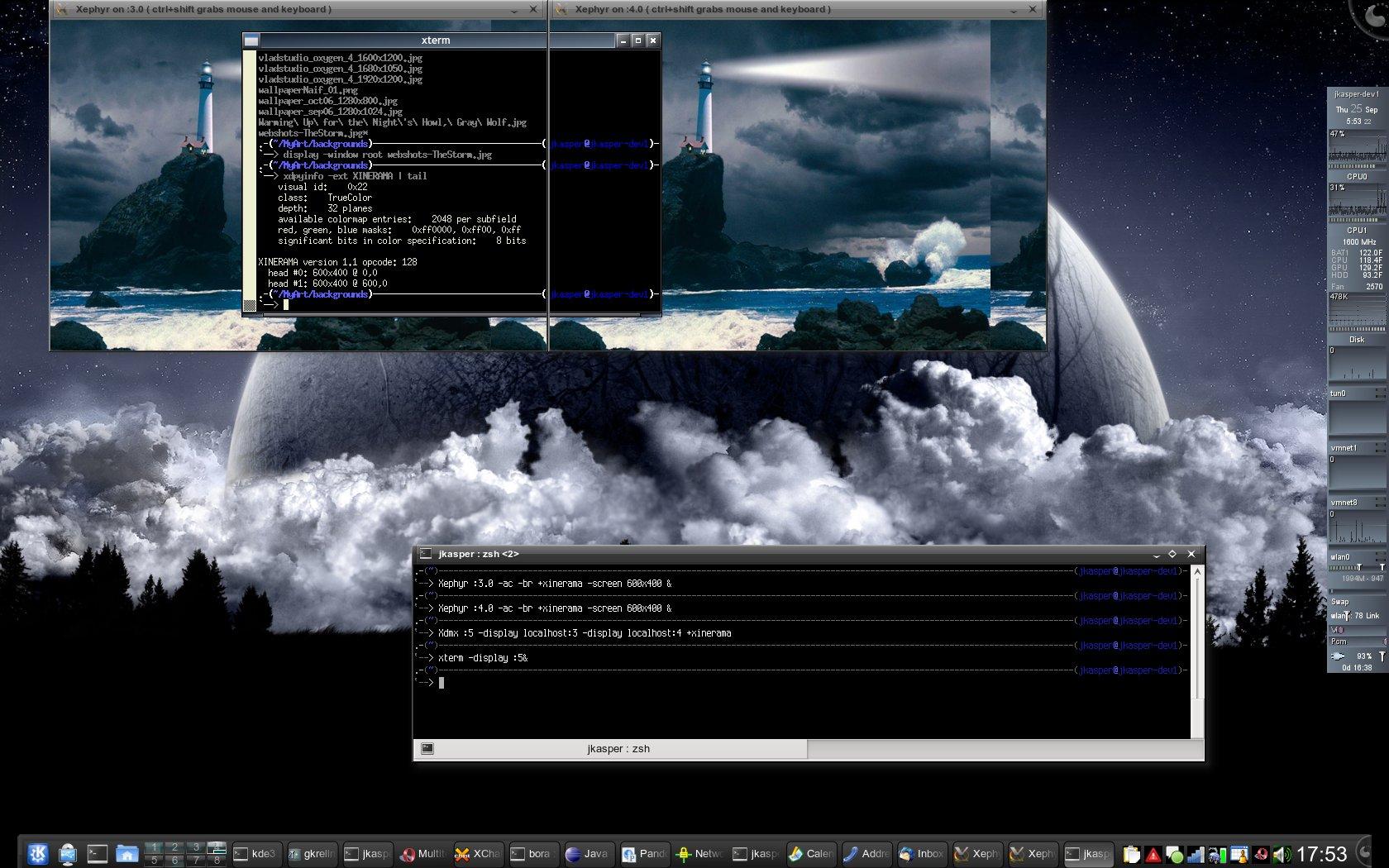
Finally!! I’ve been trying to figure out how to do this for a while now. Namely, I need to be able to test multiple display stuff out in Linux and being that I use my laptop pretty much exclusively for development, and I don’t have multiple physical monitors handy at home (and certainly not whilst travelling), I’ve been thus far unable to test anything multi-head-ish. But, thanks to Xdmx and Xephyr, this is now possible.
Xephyr :3.0 -ac -br +xinerama -screen 600x400 & Xephyr :4.0 -ac -br +xinerama -screen 600x400 & Xdmx :5 -display localhost:3 -display localhost:4 +xinerama export DISPLAY=:5 openbox& xterm&
So, the first 2 lines start up X-within-X displays on localhost:3 and localhost:4. The third line starts up the distributed multi-head X server, Xdmx, and tells it to use 2 displays (the two Xephyr displays started in lines 1 and 2) as the back ends. The fourth line exports a new DISPLAY variable (:5 – the Xdmx uber-display) that openbox and xterm both use. The screenshot shows my 1200x400 Xinerama 2-head X session, with the xterm dragged half-way between the two heads.
There are still some things that I need to figure out with this. Moving the mouse between the virtual heads is a little wonky (read: doesn’t work?). But at least, this is a promising beginning of what feels like a really cool answer to this problem. Anyone else have any insight to add to this? Any thoughts on how to get the mouse to behave sanely between virtual heads (which are actually X windows on my host)?